
Casino Geolocation Checks: Safe Troubleshooting Guide
Online casinos may check your physical location before login, deposit, withdrawal or play. This is not the same as asking for your address during KYC. A geolocation check tries to establish where the device is now, while identity verification establishes who you are and whether your account details are valid.
Location errors are frustrating because they can appear even when you are physically inside an allowed area. The safest response is to diagnose permissions, device settings and connectivity in a transparent way. Trying to disguise your location can turn a technical problem into an account, payment or compliance problem.
This guide explains the signals a casino may use, what common errors can mean and which troubleshooting steps are reasonable without bypassing regional controls.
Why Online Casinos Check Your Location
Online gambling availability depends on the operator, licence, product and the player's location. Some regulated markets require a platform to confirm that a player is physically inside an authorised area before accepting a wager. For example, the Pennsylvania Gaming Control Board geolocation standards require location detection at login or the first wager and further checks during a session. That is one jurisdiction's rule, not a universal timetable.
A casino may also use location signals to enforce its own country restrictions, manage fraud risk or investigate an account accessed from inconsistent places. This is why passing KYC does not guarantee that every later location check will pass. A verified identity and a permitted current location are separate questions.
Before creating an account, confirm that the operator accepts players where you are. Use the online casino legitimacy checklist to verify the exact domain, operating company and licence rather than trusting a badge alone.
What Geolocation Can Use
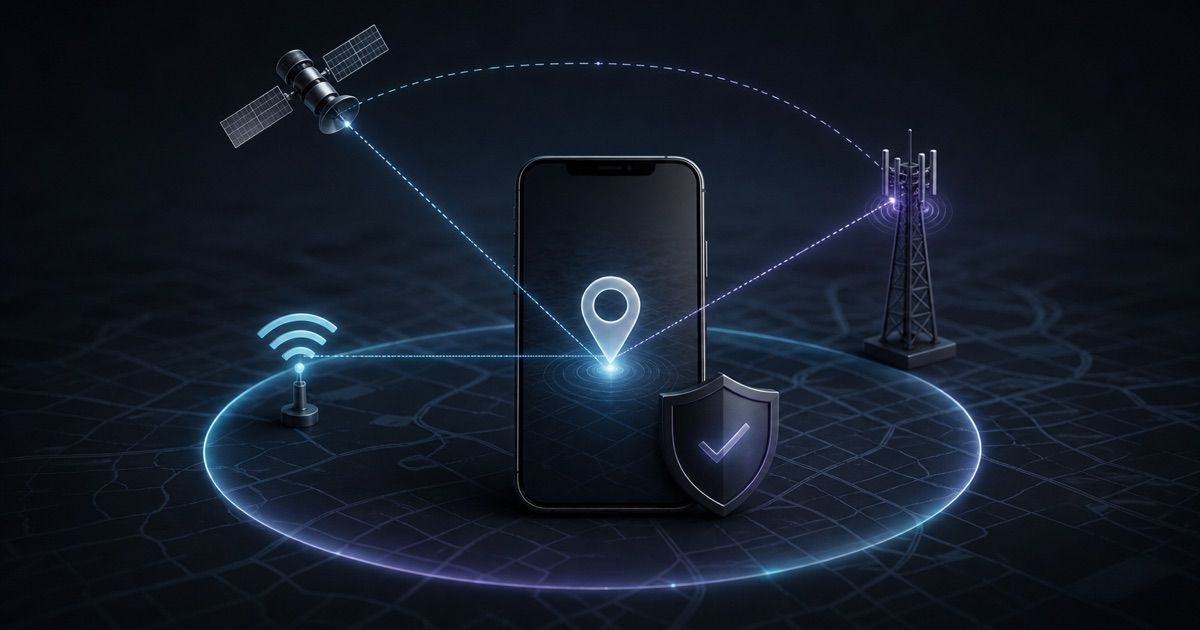
There is no single casino geolocation method. Depending on the platform and device, a check may combine several signals:
- GPS or other device location data
- Nearby Wi-Fi network information
- Mobile network and cell-tower signals
- Your public IP address and its estimated region
- Browser or app permission status
- Device integrity and signs of location-manipulation software
- Whether the account appears active from incompatible locations
These inputs are not equally precise. An IP address often indicates a broad area rather than an exact position. GPS may be weak indoors. Wi-Fi and Bluetooth scanning can help a phone estimate location where satellite reception is limited. Apple explains that its Location Services may use GPS, Bluetooth, Wi-Fi hotspots and cellular towers; its official iPhone location-permission guide also shows how app-level access and Precise Location work.
Android likewise separates device location, per-app permission and precise versus approximate access. Google's Android location-permission instructions explain the available permission choices. Menu names can vary by device maker and operating-system version.
Geolocation, KYC and IP Checks Are Different
It helps to separate three controls that players often group together.
KYC checks identity, age, address and sometimes payment ownership. Documents may prove where you live, but they do not necessarily prove where you are during a gaming session. The casino KYC verification guide explains the usual identity workflow.
IP screening estimates the origin of an internet connection and may flag hosting providers, proxies or unexpected countries. It is useful as one signal but may be imprecise, especially on mobile or corporate networks.
Device geolocation can use hardware and nearby-network data to estimate current physical position. In tightly geofenced markets, a correct home address and local IP may still be insufficient if precise device location is unavailable.
A platform may compare all three. A mismatch does not automatically prove wrongdoing, but it can trigger a failed check or manual review.
Common Reasons a Legitimate Check Fails
Start with ordinary explanations. Location Services may be off, precise access may be disabled, or the browser may have remembered an earlier denial. A desktop computer may lack useful Wi-Fi data, while a phone inside a large building may have weak GPS reception.
Network conditions also matter. Corporate networks, privacy relays, proxies, remote desktops and VPNs can make the apparent connection location differ from the device location. Public Wi-Fi can route traffic in unexpected ways. If you use a VPN for general security, disconnect it before accessing a casino when the operator's terms or geolocation process requires a direct local connection. The casino VPN safety guide explains why privacy tools must never be used to misrepresent location.
Other causes include:
- Outdated casino, browser or operating-system software
- A device clock or time zone that is badly misconfigured
- Battery-saving settings that restrict location access
- Disabled Wi-Fi or Bluetooth scanning
- Security software blocking a required geolocation component
- Being close to a state, provincial or national border
- An account recently accessed from another device or region
- A temporary outage at the casino or its location provider
Do not assume that repeated retries will fix the cause. They may instead create a confusing series of failed events for support to review.
A Safe Troubleshooting Sequence
Use an ordered process and stop as soon as the check succeeds.
- Confirm eligibility first. Read the casino's current restricted-country rules and check the regulator's official information. If you are not physically in an authorised place, do not continue.
- Record the exact error. Save a screenshot, time, device type, browser or app version and connection type. Do not include passwords, one-time codes or full payment details.
- Check the service status. Look for a published incident notice or ask official support whether location verification is experiencing an outage.
- Review permissions. Confirm that device location is on and that the casino app or browser has the access it legitimately requests. If precise location is required, an approximate-only setting may fail.
- Use a normal connection. Turn off a VPN, proxy, remote-desktop session or privacy relay if it conflicts with the rules. Never replace it with another tool intended to imitate a different location.
- Restart cleanly. Close the app or browser, restart the device and try once more. Install updates only from the official app store or operator site.
- Try an ordinary supported network. If permitted, compare your home Wi-Fi with your own mobile data. Avoid unknown public networks for casino accounts or financial activity.
- Contact verified support. Provide the saved error details and ask which setting or supported device requirement failed. Use contact information from the casino's official domain, not a message sent to you on social media.
If the operator asks for identity documents during troubleshooting, upload them only through a secure, authenticated channel. Review the casino privacy-policy checklist before sharing sensitive data.
Privacy Questions to Ask Before Granting Access
Location is sensitive information. A legitimate compliance purpose does not remove the need for transparency. Before granting access, check the operator's privacy notice and permission prompt.
Ask:
- Is location collected only during login or play, or also in the background?
- Is precise location required, and why?
- Which geolocation provider receives the data?
- How long are location records retained?
- Are records used only for eligibility, security and compliance, or also for marketing?
- How can you exercise applicable privacy rights or complain?
Prefer access limited to the time you use the app when the platform supports it. However, do not change a required permission in a way that makes the service appear compliant when it is not. If the request seems broader than the published purpose, pause and ask for an explanation.
Also protect the account itself. Strong unique passwords, two-factor authentication and login alerts remain important because location checks do not replace access security. The online casino account security checklist covers those controls.
What Not to Do
Do not use location spoofers, altered device software, remote access or a VPN to appear inside an eligible area. Do not borrow another person's device or account. Do not submit an address that differs from your real information simply to make two checks match. These actions can violate terms, local law or payment rules and may cause account restriction or enhanced verification.
Do not install a geolocation plug-in from an unsolicited email or chat message. Navigate to the operator's official website yourself and verify any required software there. If security software raises a warning, obtain written guidance from official support rather than disabling protections blindly.
Finally, do not deposit while the operator cannot confirm that you are eligible to play and withdraw. Resolve the location question first and keep the written answer.
Bottom Line
A casino geolocation error is a signal to verify eligibility, permissions and ordinary connectivity, not an obstacle to work around. Identify whether the platform needs IP, device or precise-location data; use official settings and software; preserve the error details; and escalate through verified support if a clean retry fails.
Compare the privacy purpose with the access requested. If the casino cannot explain why it needs location, which provider processes it or how a legitimate error can be resolved, choose a more transparent operator.
18+ only. Gambling involves financial risk. Set limits, never chase losses, and use responsible gambling support or self-exclusion if play becomes difficult to control.
Affiliate disclosure: CasinosChoice may earn a commission from selected partner links. This does not change the need to verify local eligibility, current terms and privacy practices yourself.
Related articles
- Casino Bonus Cancellation: Check What You Keep
Before ending an active casino bonus, check cash, promotional winnings and open bets, then save a clear record of what cancellation will remove.
- Casino Account Currency Change: A Safe Checklist
Check whether a currency switch changes your casino balance or only a setting, then protect pending payouts, bonus records and spending limits.
- Casino Accounts in the Same Household: Rules to Check
Check whether adults sharing a home may hold separate casino accounts, claim the same promotion and use their intended payment methods safely.