
Gambling Blocking Software: A Device Setup Checklist
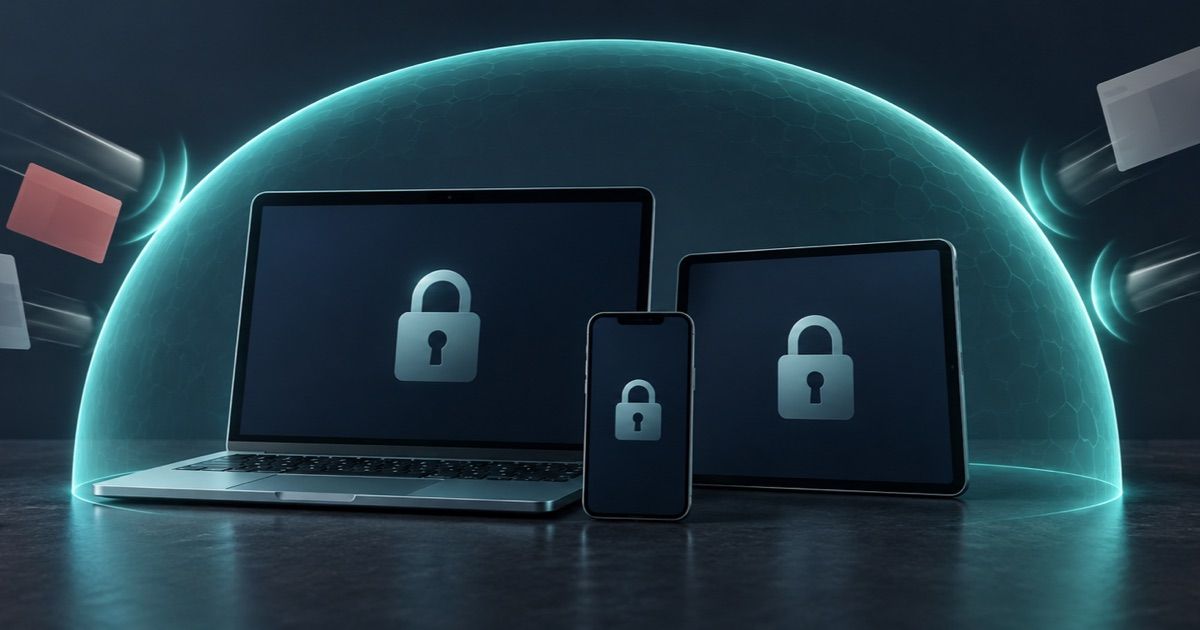
Gambling blocking software can restrict access to gambling websites and apps on the devices where it is installed. Choosing it means checking the exact operating systems, blocked categories, restriction period and support process. Installing a blocker on your phone does not establish protection on a separate laptop, close casino accounts or settle outstanding withdrawals.
This guide provides a practical way to choose and configure device protection without visiting gambling sites to test it. The product examples come from official documentation, not CasinosChoice installation tests. Availability and features can change, so confirm the current instructions for each device before activation.
What gambling blocking software actually covers
Think of a blocker as one part of a protection plan. Its immediate job is to limit access through covered devices. It does not create a worldwide exclusion register, cancel gambling debts, recover losses or automatically stop every promotional message.
The distinctions matter when choosing the next action:
| Protection | Main purpose | Separate check needed |
|---|---|---|
| Device blocker | Restrict access to covered sites or apps | Every device, supported software and active status |
| Casino or scheme self-exclusion | Restrict accounts within the arrangement's scope | Participating operators, products and jurisdiction |
| Bank gambling block | Decline covered gambling payments | Cards, accounts and payment routes included |
| Marketing controls | Reduce promotional contact | Email, text, app and advertising preferences |
Our guide to self-exclusion coverage across casino brands explains the account and scheme layer. A software provider's use of the term 'self-restriction' should not be interpreted as enrolment in one of those arrangements.
If you need protection now, start with an available tool and support rather than waiting to complete an exhaustive product comparison.
Start with a device inventory
Write down the phone, tablet and computers you regularly use, including older devices still connected to the internet. For each, record the operating-system version, ownership, normal network connection and whether you can authorize software installation.
Use a small worksheet: device name, supported version confirmed, installation completed, protection status confirmed, support contact saved. A downloaded installer is not evidence that protection is active. Keep unfinished devices visible on the list until setup is complete or support has explained the limitation.
For shared devices, discuss the impact with other authorized users. For a work or school computer, ask its administrator about permitted controls. Do not install restrictions on someone else's device without permission. If a managed device cannot run your chosen product, discuss suitable protection with the administrator and a gambling-support service.
Plan for replacements too. Before moving to a new phone or laptop, check the provider's transfer or additional-device instructions. Include blocker setup alongside email and security setup, so the transition does not become an overlooked gap.
Compare the rules behind the product name
Do not choose solely by a claimed number of blocked websites. A large database does not answer whether your device is supported, whether protection is active or whether the service handles a missed site promptly.
BetBlocker's official product information and FAQ describe a free, worldwide service that does not require registration. Its gambling self-restriction is designed to remain in force for the selected period, and expiry behaviour depends on that selection. Its parental-control mode is a separate arrangement. Read the active-period and end-of-period rules on the setup screen; do not assume every mode provides the same protection.
Gamban illustrates why category coverage deserves equal attention. Its official explanation of what it blocks includes gambling sites and apps, gambling affiliates, cryptocurrency platforms and trading platforms. Those categories cannot be customized individually. It also says gambling adverts are outside its blocking scope. Someone expecting only casino websites to disappear could therefore encounter a broader restriction than anticipated.
Treat these as documented product differences, not a ranking. Before choosing any service, answer:
- Does it support the exact device and operating-system version?
- Which websites, apps and related categories are covered?
- Which activation mode is intended for restricting your own gambling?
- How long does protection last, and what happens at expiry?
- Is there a cost, renewal date or eligibility condition for free access?
- How are installation failures, missed sites and mistaken blocks reported?
Keep the answers brief and save the official support address. Avoid third-party downloads or offers to sell a modified version.
Check compatibility and privacy before activation
Blocking software may need permissions or network components that ordinary apps do not use. Follow the official installation instructions and ask the provider to explain an unfamiliar request before approving it. A permission prompt alone does not establish whether the tool is configured correctly.
For example, BetBlocker's FAQ explains that some versions use a VPN to enforce restrictions and that this can affect access to local-network devices such as printers. This is a product-specific compatibility issue, not evidence that all blockers behave identically.
Tell support about essential work connectivity, accessibility tools or managed-device requirements before starting a restriction. Ask for a supported configuration that keeps protection intact. Do not experiment by disabling protective components, and do not assume multiple blocking products will operate correctly together without checking compatibility.
Read the current privacy notice as well. Look for information collected during registration, diagnostics and support; retention periods; service providers; and contact details for privacy questions. Separate anonymous installation claims from information you voluntarily include in a support ticket. Screenshots should show the error, not unrelated messages, full financial records or passwords.
Use a deliberate setup and confirmation checklist
Set aside a calm moment for setup, with a trusted person nearby if that would help. If there is an immediate urge to gamble, contact support and put distance between yourself and gambling access rather than postponing protection for paperwork.
- Open the official provider site. Follow its own download or app-store links and check the listed publisher.
- Read the selected restriction terms. Confirm the mode, duration, activation steps and end-of-period behaviour before accepting them.
- Complete installation on each authorized device. Follow the provider's instructions for permissions and any required restart.
- Check the documented status indicator. Use the product's confirmation screen or a provider-supplied diagnostic method. Do not open casino sites, place bets or make deposits as a test.
- Record completion. Save the date, device, software version, selected period and any confirmation reference somewhere easy to find.
- Check essential non-gambling functions. Confirm that ordinary work, communication and accessibility tools still function; report problems through official support.
- Plan maintenance. Keep software updated and review protection status after major operating-system updates or a device replacement using the provider's guidance.
For example, a completed phone installation and an unconfigured laptop should appear as two different statuses in your worksheet. One successful setup does not complete the household device check.
Handle missed sites and mistaken blocks safely
If gambling content unexpectedly appears, leave it without logging in or playing. Note the website address or app name, device, approximate time and blocker status. Report the gap privately to the provider through its official channel. Do not publish a list of accessible gambling sites or repeatedly revisit them to gather more evidence.
A non-gambling service blocked by mistake needs a different report. Describe what essential function is unavailable, include a redacted error screenshot and ask the provider to review the classification. Let support diagnose the problem while other protections remain active.
Avoid treating an error as proof that every safeguard has failed. A device issue does not cancel an existing casino exclusion or bank setting. If the incident has increased the urge to gamble, contact a trusted person or support service while the technical issue is investigated.
Add payment, account and human support
Gamban's official setup guidance recommends adding other layers of protection alongside its software and points users towards further support. That is the provider's guidance, not a promise about individual outcomes. Use qualified gambling-support services in your own location. Software availability across countries does not make one country's support or exclusion arrangements universal.
Review what bank gambling blocks cover and activate suitable controls with your provider. Address promotional triggers separately through the casino marketing opt-out checklist.
If money or records remain in a casino account, use verified support to request statements or handle withdrawals without reopening gambling access. The guide to closing a casino account safely explains the administrative issues. An unresolved balance is not a reason to leave urgently needed protection inactive.
18+ only. Gambling can cause financial and personal harm. Use responsible gambling support and seek qualified local help if stopping feels difficult.
Affiliate disclosure: CasinosChoice may receive a commission from selected partner links. Commercial relationships do not replace checking a blocking provider's current terms or seeking independent support.
Related articles
- Casino Bonus Cancellation: Check What You Keep
Before ending an active casino bonus, check cash, promotional winnings and open bets, then save a clear record of what cancellation will remove.
- Casino Account Currency Change: A Safe Checklist
Check whether a currency switch changes your casino balance or only a setting, then protect pending payouts, bonus records and spending limits.
- Casino Accounts in the Same Household: Rules to Check
Check whether adults sharing a home may hold separate casino accounts, claim the same promotion and use their intended payment methods safely.