
Online Casino Selfie Verification: Safety Checklist
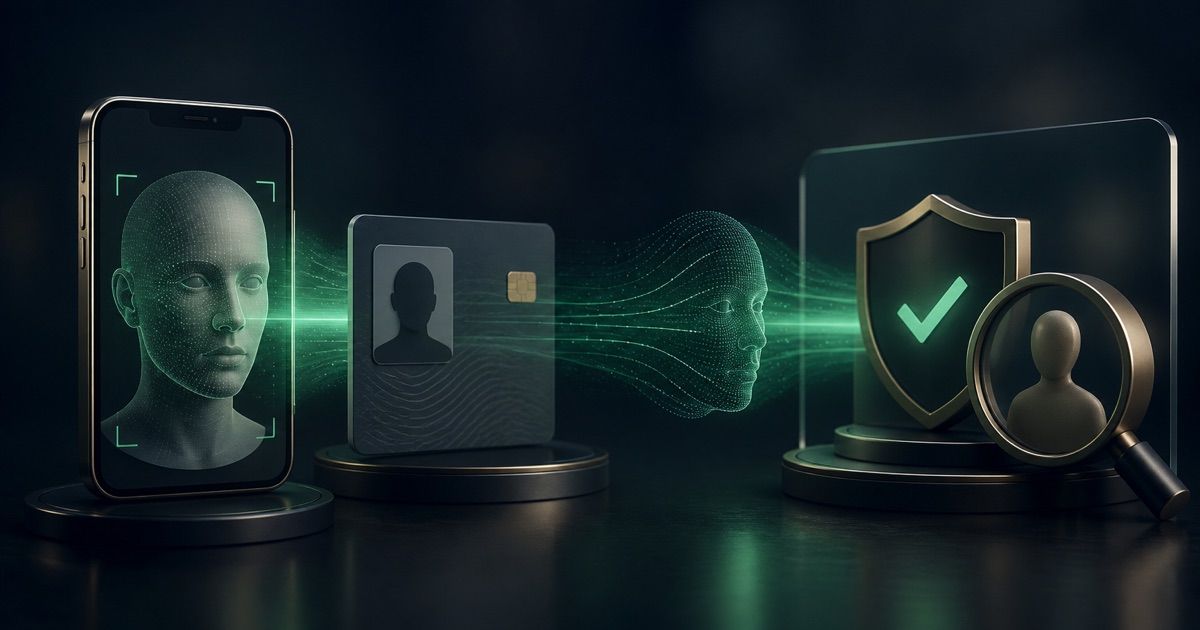
Online casino selfie verification can feel intrusive, especially when it appears just before a withdrawal. The request is not automatically suspicious: a licensed operator may need to confirm that the person using an account matches the identity document on file. But a legitimate purpose does not make every link, upload channel or data practice safe. Before opening your camera, verify who is asking, what the check does, where the image goes and what happens if automation rejects you. This guide explains face matching, liveness checks, privacy questions and a practical recovery route without helping anyone avoid valid KYC controls.
Why a casino may ask for a selfie
A selfie check can connect a real person to an identity document, help detect an account opened with stolen details or support a review after unusual activity. It may be requested at registration, before the first payout or after a meaningful security change. Timing and legal duties vary by licence and player location.
Great Britain's regulator gives one jurisdiction-specific example: the UK Gambling Commission explains casino selfie requests as a possible response to suspected fraud or identity theft. It also says operators should not wait until withdrawal to request information they could reasonably have requested earlier, although a later legal requirement may still arise. That statement applies to operators and customers within the regulator's remit; it is not a worldwide rule.
A request deserves more scrutiny when it arrives unexpectedly. Confirm it inside the signed-in account or through contact details you independently obtained from the official site. Do not trust an email link merely because it uses the casino's name. The broader casino legitimacy checklist can help you verify the operator, licence and ownership before sharing identity data.
How online casino selfie verification works
The screen may call several different processes a selfie check. Knowing which one is being used helps you ask better privacy and support questions.
- Photo capture: the operator or verification provider receives a facial image for a person or system to review. A photograph is not automatically biometric data in every legal framework; what matters includes how it is processed.
- Face match: software extracts facial features from the new image and compares them with the portrait on an identity document or another verified reference. The result is usually a similarity assessment, not a human-style declaration of certainty.
- Liveness or presentation-attack check: the system tries to establish that a real person is present rather than a printed photo, replayed video, mask or injected image. A check may be passive or ask for a short movement sequence.
- Selfie with ID: one frame shows the person and a physical identity document together. This can prove possession visually, but it is not necessarily the same as an automated liveness test.
The technical distinction is supported by the current NIST digital identity proofing guidelines. NIST describes remote facial comparison, presentation-attack detection, live document capture, privacy information and exception handling. It is a US federal standard, not a casino law or a guarantee that a particular vendor meets its requirements. It is useful here as a public technical benchmark: a serious process should anticipate spoofing, capture failures and legitimate users who need another route.
A casino should be able to tell you whether the check is automated, which company processes it and whether a human will review an unsuccessful result. If support cannot answer those basic questions, pause the process rather than sending repeated images.
Check the request before opening your camera
Use this five-part safety test.
- Verify the destination. Start from the casino's official website or app, sign in normally and navigate to verification. Avoid links delivered only through social media, messaging apps or an unsolicited support call.
- Match the request to the account event. A new registration, first identity review, suspected takeover or changed payment detail can explain an extra check. Ask for the specific reason if the request appears unrelated.
- Identify the processor. Read the notice shown before capture and the operator's privacy policy. Look for the casino's legal entity, the verification vendor, processing purpose, sharing, storage location, retention period and deletion or access route. Use the casino privacy policy checklist for a fuller review.
- Check the capture scope. Camera access during a live check may be necessary. Continuous access, unrelated photo-library access or instructions to upload through a personal email address need an explanation.
- Confirm the fallback. Find out how to request assisted or manual review if your camera, disability, appearance, document or connection makes the automated path unreliable.
Canada's privacy regulator offers a helpful jurisdiction-specific benchmark in its biometrics guidance for businesses. It treats uniquely identifying biometric information as sensitive and asks organisations to justify purpose, effectiveness, proportionality, collection, retention and safeguards. Canadian privacy law does not govern every casino, but those questions are useful wherever you play.
Complete the check without creating extra risk
Follow the operator's on-screen instructions exactly, using an original, valid document that belongs to you. Do not edit an image, apply a beauty filter or submit a screenshot when live capture is requested. Do not borrow another person's ID or ask someone else to appear. Those actions can produce a legitimate fraud alert and may breach the terms or law.
For a clean capture, use even front lighting, a simple background and a clean camera lens. Remove anything that blocks the face only when the instructions require it and doing so is safe and appropriate. Hold the device steady, keep the whole face inside the frame and allow the requested movement to finish. If the document is part of the capture, make sure its required edges and security features are visible without glare.
Use a private connection and a device you control. Grant camera access when needed, then review the permission afterward. Never send account passwords, one-time codes or full card security codes with a selfie. A legitimate identity check may need evidence of payment ownership, but that is a separate request that should explain permitted redaction and a secure submission channel. The account security checklist covers passwords, two-factor authentication and phishing controls around the wider account.
Keep a minimal record: the request date, official case number, processor name, displayed error and support response. A screenshot of the error can help, but avoid making unnecessary copies of the actual selfie or ID on shared devices or cloud folders.
If casino selfie verification fails
A failed casino selfie verification does not by itself prove fraud, a bad document or an unsafe casino. Capture quality, browser permissions, network interruption, document mismatch, changed appearance and automated false rejection can all require a different review path. NIST's guidance explicitly recognises capture failures and people who may be less well served by automated biometric recognition.
Work through the problem in this order:
- Record the exact error and whether it occurred during document capture, face matching, liveness or final submission.
- Check that your casino profile uses the same legal name and date of birth as the document. Contact support before changing verified details yourself.
- Confirm the ID type, expiry date, required sides and image rules in the official verification page.
- Retry once in better light with a clean lens, stable connection and necessary browser or app permission. Repeated blind attempts create more data without diagnosing the problem.
- Ask support for the failed stage, whether the images reached the processor, whether they will be retained and whether manual or assisted review is available.
- Request a written list of any replacement evidence. Send only what is requested through the confirmed secure channel.
Do not make another deposit while identity access or a withdrawal remains unresolved. If support keeps restarting the process without explaining what failed, preserve the timeline and use the operator's formal complaint route. The CasinosChoice player complaint guide explains how to separate evidence, complaint stages and licence-specific escalation.
Red flags that justify stopping
Stop and independently contact the operator if someone asks you to move the check to a video call on a personal messaging account, install remote-access software, reveal a password or one-time code, or pay a fee to unlock verification. Treat pressure to deposit again as a serious warning.
Other red flags are an unexplained processor, no privacy notice, conflicting instructions, a request for unrelated people to appear, or refusal to offer a complaint channel after repeated technical failure. A new document request can be legitimate when circumstances change, but support should explain the category and secure route without promising approval.
The practical decision rule
Proceed only when four things align: you independently confirmed the operator and channel, the selfie has a clear identity or fraud-control purpose, the data notice explains the processor and handling, and there is a usable route for errors or human review. If one element is missing, pause and ask in writing.
Selfie verification is a security control, not proof that the casino itself is trustworthy. Judge it alongside licensing, payment rules, privacy, support quality and withdrawal terms. Never alter evidence or try to defeat a liveness check; if the process cannot verify you fairly, the safe response is documented support and formal escalation.
18+ only. Gamble responsibly. Gambling involves financial risk and is not a way to make money. Use responsible gambling limits and seek qualified support if play becomes difficult to control.
Affiliate disclosure: CasinosChoice may earn a commission if you sign up through selected partner links, at no extra cost to you. This does not affect the need to assess safety, terms and suitability independently.
Related articles
- Casino Bonus Cancellation: Check What You Keep
Before ending an active casino bonus, check cash, promotional winnings and open bets, then save a clear record of what cancellation will remove.
- Casino Account Currency Change: A Safe Checklist
Check whether a currency switch changes your casino balance or only a setting, then protect pending payouts, bonus records and spending limits.
- Casino Accounts in the Same Household: Rules to Check
Check whether adults sharing a home may hold separate casino accounts, claim the same promotion and use their intended payment methods safely.